Localization. Повністю підтримує нативний формат ARB Flutter. Замість того, щоб вручну редагувати складні структури JSON з метаданими, ви можете керувати перекладами вашого мобільного додатку в зручному інтерфейсі та експортувати їх безпосередньо до вашого проекту Flutter.
Чому розробники обирають наш Flutter API?
- Нативний формат ARB: Ми генеруємо дійсні .arb файли, сумісні з офіційним пакетом flutter_localizations та intl.
- Автоматизовані метадані: Ми автоматично вставляємо ключ @@locale, гарантуючи, що ваші ARB файли завжди дійсні та визнані компілятором Flutter.
- Готовий до мобільних пристроїв: Ідеально підходить для управління динамічним контентом у ваших Android та iOS версіях з одного джерела.
Розширене управління проектами
Масштабуйте локалізацію вашого мобільного додатку без головного болю.
Уніфікований робочий процес: Керуйте перекладами для iOS та Android в одному місці. Експортуйте як ARB для Flutter або окремі XML/Strings за потреби.
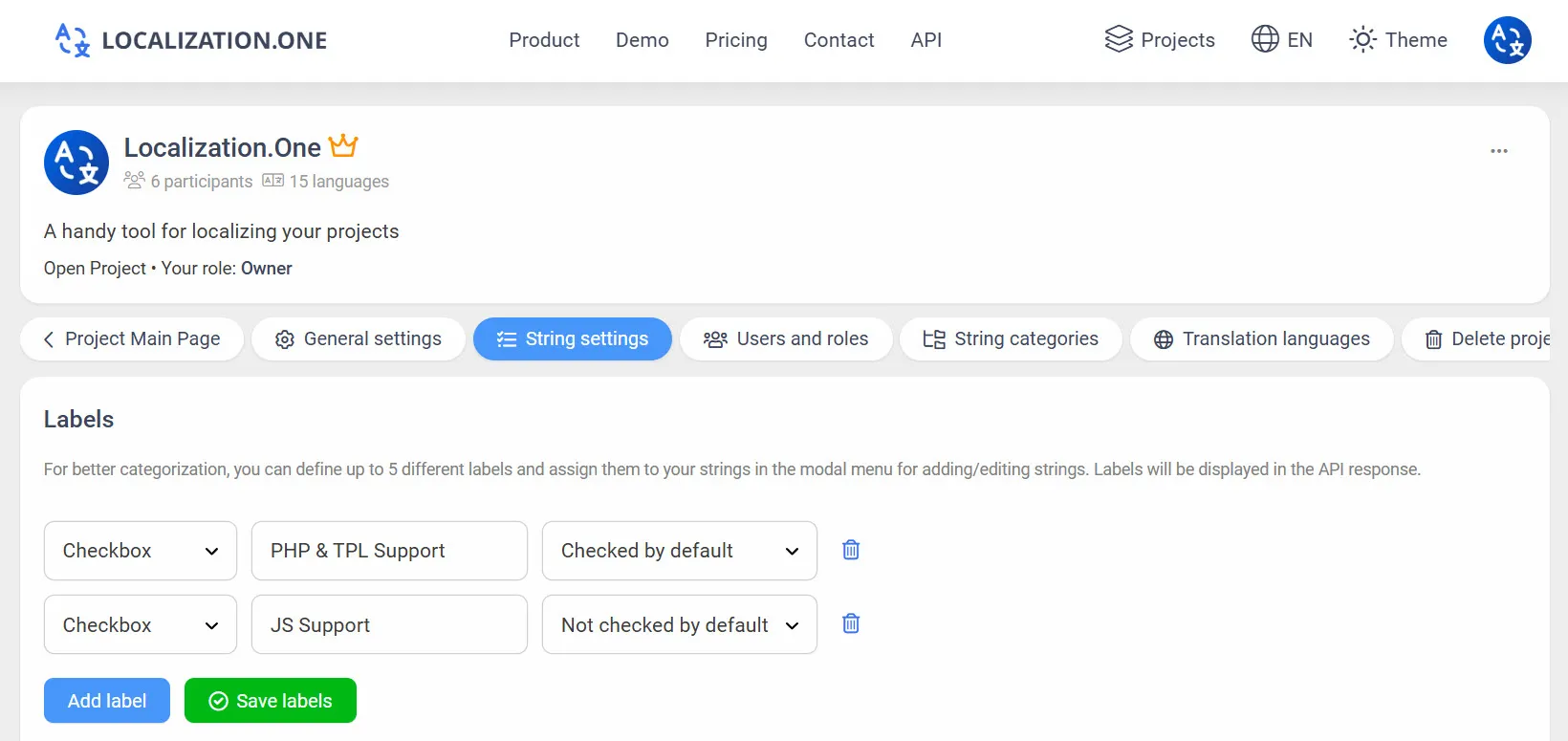
Мітки та теги: Позначайте рядки власними мітками, такими як "Onboarding" або "Settings", щоб фільтрувати експорти через API.
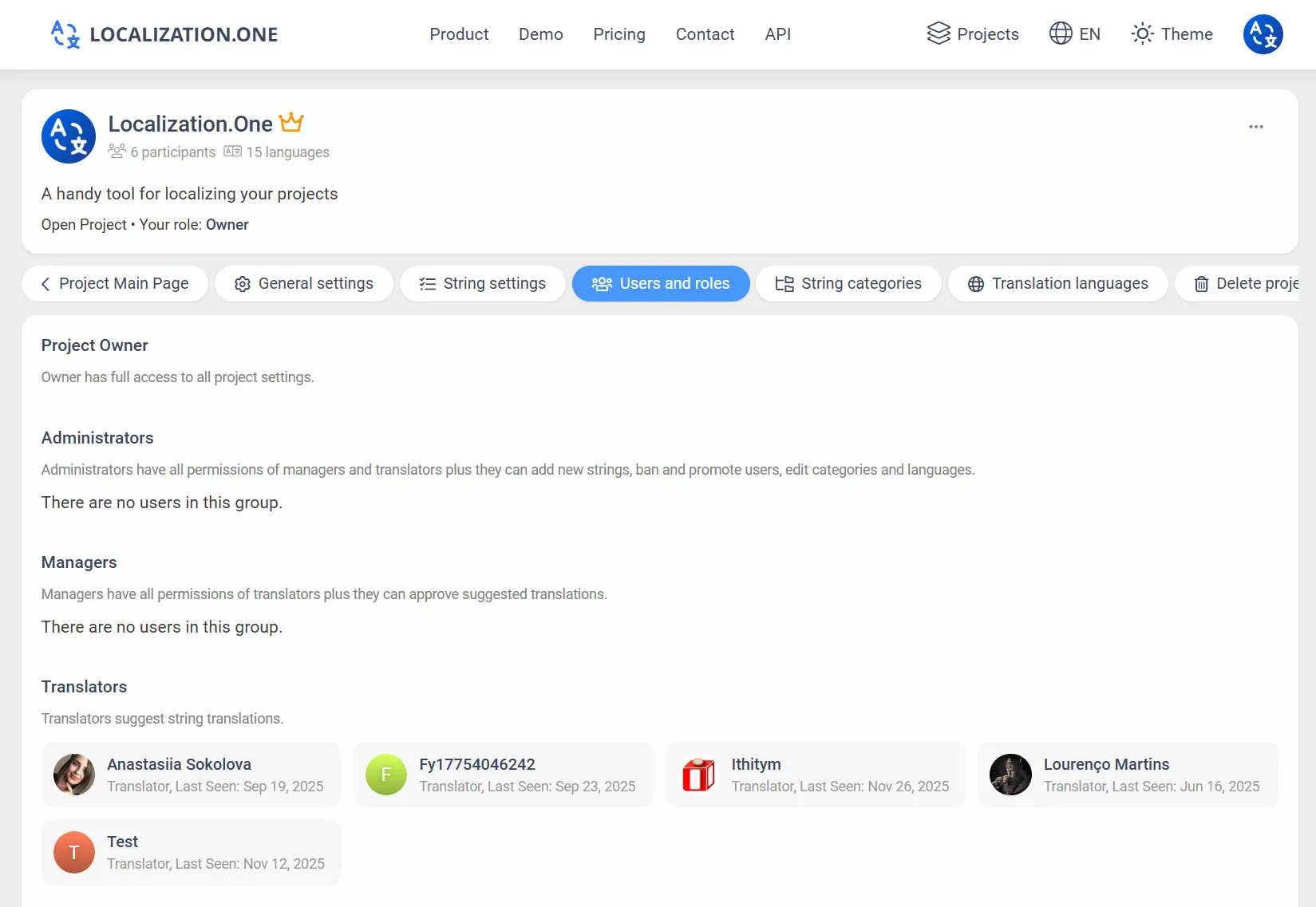
Командна співпраця: Запрошуйте перекладачів та копірайтерів. Призначайте детальні ролі (Власник, Адміністратор, Менеджер, Перекладач).
Вебхуки: Автоматично запускайте Codemagic або GitHub Actions збірки, коли переклади оновлюються.
Як інтегрувати
Варіант 1: Ручний експорт (UI)
Ідеально для локальної розробки.
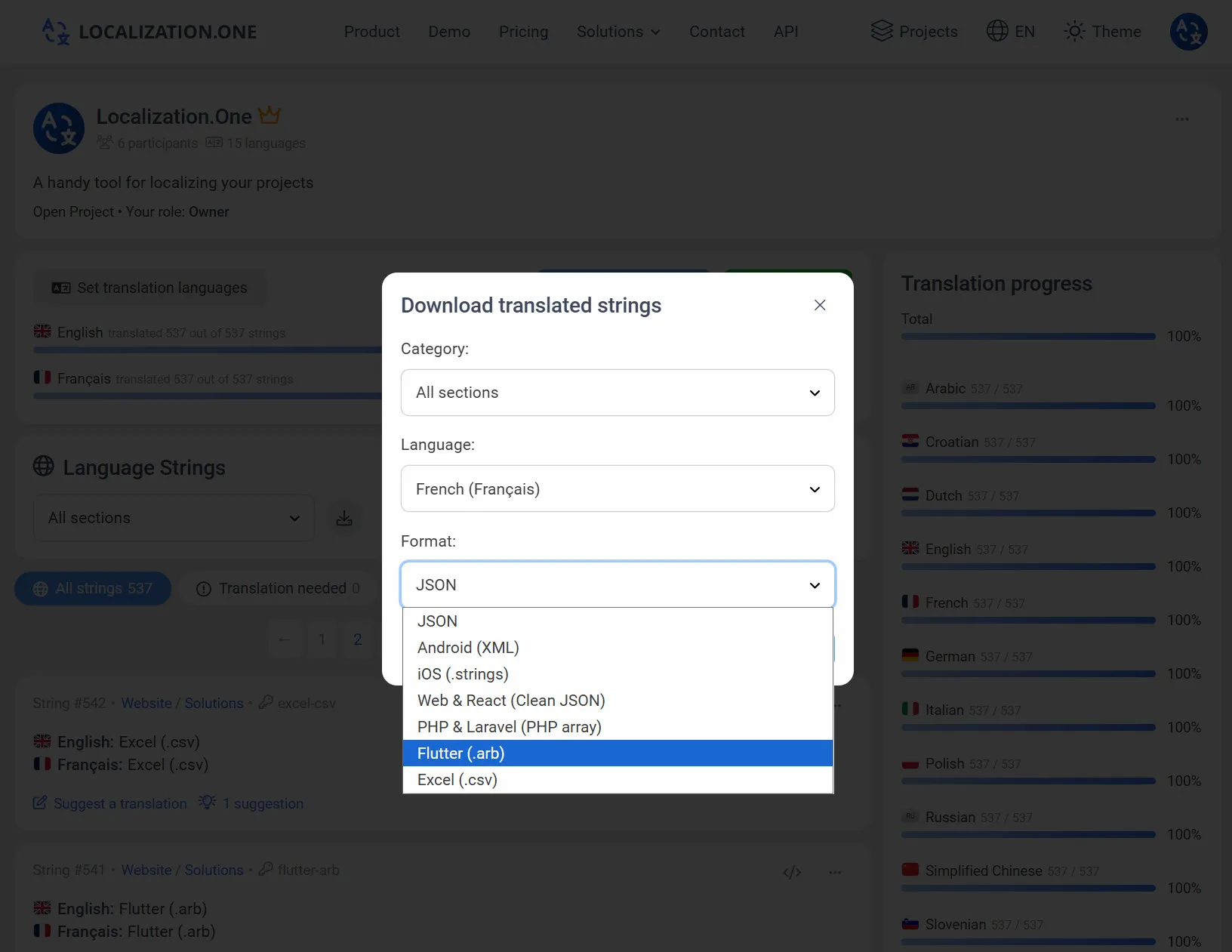
- Перейдіть до вашої Дошки проекту.
- Натисніть кнопку Завантажити .
- Виберіть Flutter ARB з випадаючого списку формату.
- Виберіть мову та завантажте .arb файл.
Варіант 2: Автоматизація через API (CI/CD)
Отримуйте останні переклади безпосередньо у вашій збірковій лінії. Передайте параметр format=arb.
bash
# Завантажити англійські переклади
curl "https://api.localization.one/{YOUR_API_KEY}/getTranslations?translation_language=1&format=arb" > lib/l10n/app_en.arb

# Завантажити іспанські переклади
curl "https://api.localization.one/{YOUR_API_KEY}/getTranslations?translation_language=2&format=arb" > lib/l10n/app_es.arb
Варіант 3: Надсилання через вебхуки
Налаштуйте URL вебхука у налаштуваннях вашого проекту, щоб повністю автоматизувати процес.
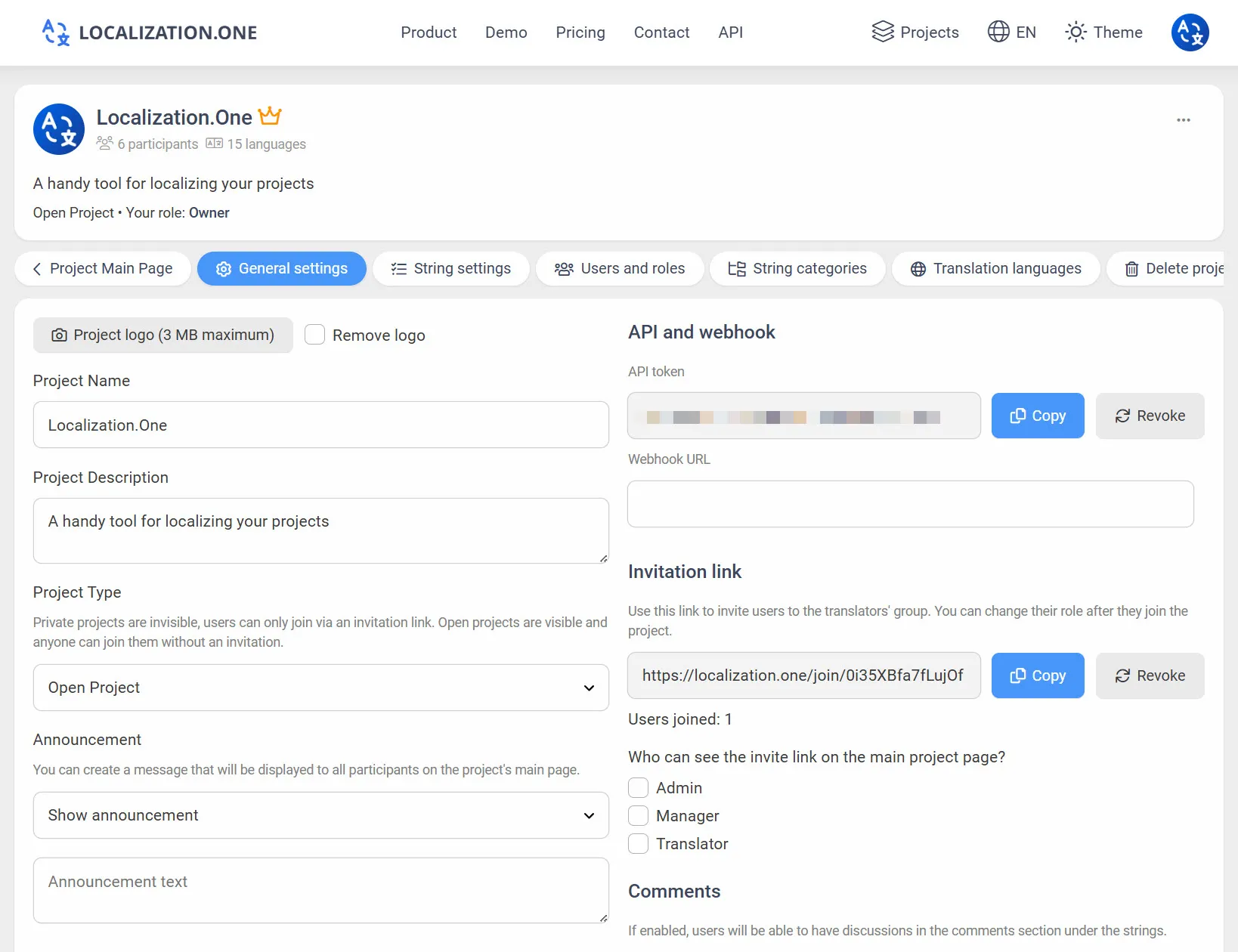
- Швидкі оновлення: Ваш сервер отримує POST запит незабаром після змін (зазвичай протягом 5 хвилин).
- Запуск збірок: Підключіть вебхуки до вашого постачальника CI/CD, щоб автоматично перебудовувати ваш додаток, коли контент змінюється.
Часто задавані питання
Чи потрібно мені вручну додавати @@locale?
Ні. Наш API автоматично вставляє ключ @@locale на початку ARB файлу на основі коду мови, який ви запитуєте (наприклад, "@@locale": "en"), тому файл готовий до використання відразу.
Чи можу я використовувати заповнювачі, як {name}?
Так. Flutter ARB підтримує синтаксис ICU. Ви можете написати {name} або {count, plural, ...} у ваших перекладах, і вони будуть експортовані правильно.
Інші мобільні формати:
- Нативна розробка для Android? Дивіться Android XML.
- Нативна розробка для iOS? Дивіться iOS Strings.
Готові автоматизувати вашу локалізацію Flutter? Створіть свій безкоштовний акаунт сьогодні.